
Before an internal AI can answer accurately about your business, it has to be able to "read" your real documents — and the quality of its answers never exceeds the quality of the repository you feed in. This is a client-side checklist: where your documents actually live, how to handle scans and images, how to remove expired files, where personal data (PII) must be masked, and why you should tag documents by department during preparation so the system can filter access at the retrieval layer. By the end, you'll be able to answer one question for yourself: is my document repository ready to go into AI yet?
Quick summary
- Rule #1: internal AI is only as good as its input — garbage in, garbage out. Preparing the documents drives most of the quality, not which model you pick.
- Five preparation steps: (1) inventory where documents live → (2) clean up (scans/images, duplicates, expired files) → (3) classify by sensitivity → (4) mask personal data → (5) tag by department.
- Scans/images must be OCR'd before ingestion — an image with no text layer is something AI can "see" but not "read". This preprocessing is exactly what Microsoft's own RAG architecture guidance stresses.
- Masking PII is a legal duty, not an option: Vietnam's Personal Data Protection Law (Law No. 91/2025/QH15) has been in force since 01/01/2026.
- Tag by department early so access can later be filtered right at the RAG layer — each department only retrieves what it is allowed to see, with no cross-leakage.
- What counts as sensitive: per OWASP, sensitive data for LLM applications includes "personal identifiable information (PII), financial details, health records, confidential business data, security credentials, and legal documents".
- Cleaning is mandatory: Microsoft's RAG architecture guidance states content "requires preprocessing to clean up noise, extract media, transcribe audio… reformat content, or annotate items to ignore".
- Why labels matter: Microsoft Purview sensitivity labels "let you classify and protect your organization's data".
- Legal milestone: Vietnam's Personal Data Protection Law No. 91/2025/QH15 — status "in force", effective date 01/01/2026 (Ministry of Public Security legal database).
Why document preparation determines internal AI quality
Because internal AI answers from the very documents you feed it — if those documents are messy, duplicated, or expired, the answers will be wrong to match. A business AI assistant usually works via retrieval-augmented generation (RAG): when you ask, the system first retrieves the most relevant snippets, then composes an answer based on them. The model doesn't inherently "know" anything about your company — it is only good at reading and summarizing what it's handed. Feed it a contract that has been superseded, and it will confidently cite the old clause.
That's why the most labor-intensive part of an internal AI project is usually not picking the model or buying GPUs, but preparing the input data. A typical Vietnamese company's documents are scattered: some in email, some on shared drives, a few folders on Google Drive or SharePoint, contracts scanned into image PDFs, and plenty of paper in filing cabinets. Before you worry about "how the AI answers", the more practical question is: are those documents ready for a machine to read?
Preparing documents for AI runs through five steps, from "gather into one place" to "attach permissions to each part". The diagram below summarizes all five — the rest of the article dives into each.
Step 1 — Inventory: where do your documents live?
The first step isn't moving documents anywhere — it's listing every place they already are. You can't clean or permission something you don't yet know you have. In practice, most of an internal AI project's blind spots come from repositories nobody remembers: a departed manager's mailbox, an old NAS, or a "Shared Documents" folder everyone interprets differently.
Build a simple inventory: each row is a document source, with its format, owner, and importance. That table is the map everything else hangs on. It also lets you decide early: which sources go into AI now, which wait, and which never go in at all.
| Storage location | Common formats | Risk if missed or ingested raw |
|---|---|---|
| Email & attachments | .eml, PDF, Word, Excel | Full of PII, and drafts mixed with finals — easy to ingest the wrong version or personal data |
| Google Drive / SharePoint / OneDrive | Cloud docs, Google Docs | Many duplicates and "Copy of…" files; sharing permissions already messy |
| Internal shared drive / NAS | All file types, deep folder trees | Years of backlog mixed with expired versions; rarely labeled |
| Contracts & scanned records | Image PDFs, phone photos | No text layer — AI can't read them until they're OCR'd |
| Business systems (ERP/CRM/HRM) | Structured records, exported reports | Packed with customer and staff personal data; extract selectively, don't dump wholesale |
| Paper in filing cabinets | Paper | Not digitized — must be scanned + OCR'd before ingestion |
A practical tip: at this step, mark the sources you definitely won't put into AI — personal mailboxes, sensitive HR files, or customer data under a confidentiality clause. Excluding them upfront is far cheaper than pulling them out after they've already been indexed.
Step 2 — Clean up: scans/images, duplicates and expired files
Cleaning means turning a "human-readable" repository into a "machine-readable" one, while removing the noise. This is the most laborious step but the most valuable, because it directly addresses internal AI's three most common failure sources: files a machine can't read, duplicate files, and outdated files.
Technically, this is the "data preparation" stage that Microsoft's RAG architecture guidance describes: content "requires preprocessing to clean up noise, extract media, transcribe audio, extract frames from video, reformat content, or annotate items to ignore". Three concrete jobs on the client side:
- OCR for scans and images: a contract scanned into an image PDF looks like a document, but to a machine it's just a picture — no text to search. You must run optical character recognition (OCR) to create a text layer before ingestion. This is why a repository full of scanned PDFs is often "mute" to AI even though it reads fine to the eye.
- Remove duplicates and drafts: "Copy of contract (2) final FINAL" is a familiar sight. Duplicates make AI retrieve many near-identical fragments and make it hard to tell which is authoritative. Keep one canonical copy per document.
- Drop expired documents: a changed procedure, last year's price list, a policy already superseded — if they stay in the repository, AI will cite them as if still valid. Mark effective dates and remove or freeze the old versions.
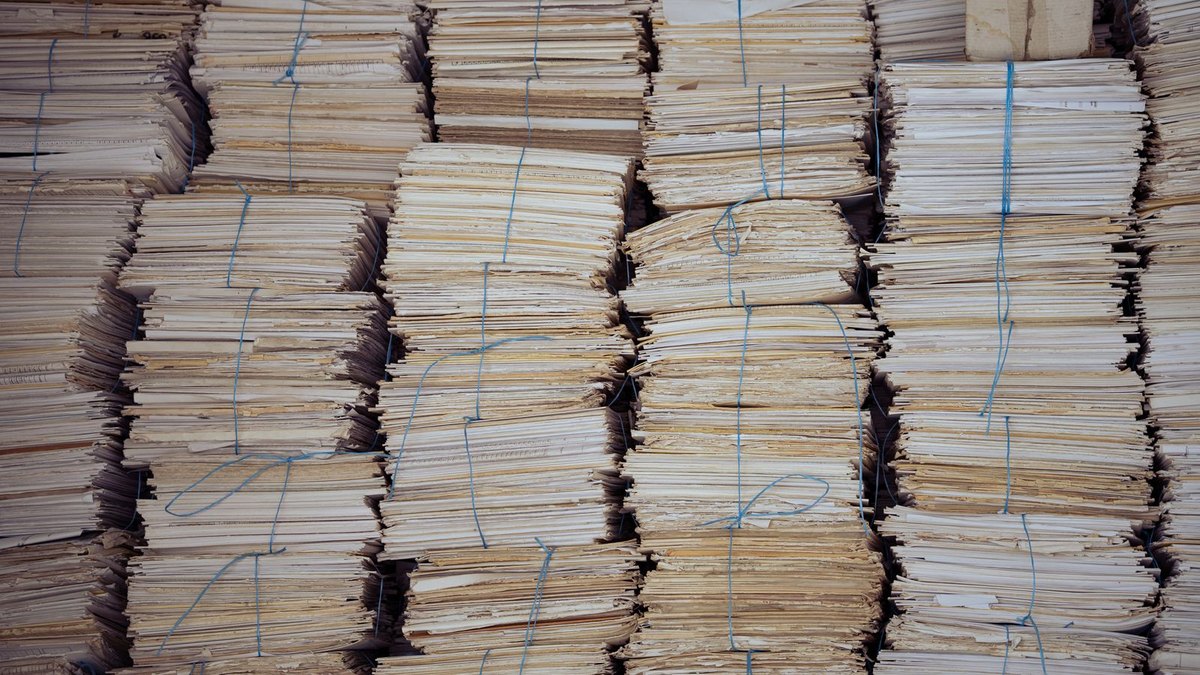
A common question: "can't we just dump everything in and let the AI filter it?" You shouldn't. AI has no way of knowing which document is expired unless you tell it, and every junk file you ingest dilutes retrieval. Cleaning at the input is always cheaper and more accurate than fixing at the output.
Step 3 — Classify and label by sensitivity
Classifying means giving each document a sensitivity level so the system can later treat them differently. Not all documents are equal: an internal newsletter is worlds apart from a payroll file or a contract with a confidentiality clause. Without classification, you're forced into one of two bad extremes — open everything to the AI (leakage risk) or lock everything down (a useless AI).
The standard enterprise approach is sensitivity labels. Platforms like Microsoft Purview describe the role precisely: these labels "let you classify and protect your organization's data, while making sure that user productivity and their ability to collaborate isn't hindered". You don't need to start complex — the four levels below are enough for most small and mid-sized businesses.
| Label level | Example documents | Treatment when fed into internal AI |
|---|---|---|
| Public | Brochures, blog posts, press releases | Ingest freely; usable by every department's assistant |
| Internal | Procedures, handbooks, shared templates | Ingest for people inside the org; never emitted externally |
| Restricted | Contracts, financial reports, cost of goods | Only the relevant team/department can retrieve (access filtered at the RAG layer) |
| Confidential | Payroll, PII, board-level documents | Consider not ingesting, or mask PII and restrict very tightly |

The crucial point: labels should be applied during preparation, by the people who understand the documents — not deferred to whoever loads the data. The person ingesting data doesn't know whether March's payroll should be "Confidential"; the document owner does. Labeling correctly here is the foundation the final step — access filtering — runs on.
Step 4 — Mask personal data (PII)
PII is any information that can identify a specific person, and masking it before ingestion is both a technical requirement and a legal duty. The OWASP risk list for LLM applications treats "Sensitive Information Disclosure" as its own category, and spells out that sensitive data includes "personal identifiable information (PII), financial details, health records, confidential business data, security credentials, and legal documents". The same document recommends that applications "perform adequate data sanitization" so user data doesn't end up where it shouldn't.
Legally, this is no longer discretionary. Vietnam's Personal Data Protection Law No. 91/2025/QH15 is listed as "in force" with an effective date of 01/01/2026 — meaning processing customers' and employees' personal data as it enters an AI system falls squarely within the law's scope. Before ingestion, review and mask fields such as national ID numbers, phone numbers, personal emails, account numbers, health information, and individual salaries.
Masking PII doesn't mean discarding the document. For many records you keep the useful business content after replacing personal fields with anonymized placeholders — for example, keep the contract's structure but swap names and ID numbers for "[CUSTOMER]". The principle is: keep the business value, drop the personal identity wherever the AI doesn't need it.
Three things to standardize before handing over to ingestion:
- Catalog the PII fields to mask (national ID, phone, email, account number, health data, salary) and agree on how to anonymize them.
- Decide "mask" vs "exclude" per record type: records whose value lies in their structure get masked; records whose value is the personal data get excluded from the AI scope.
- Record the decisions (who approved, which fields masked) so you can demonstrate compliance when audited.
Step 5 — Tag by department to filter access at the RAG layer
Tagging by department during preparation is exactly what later lets the AI answer each department only with the documents it's allowed to see. The four steps above make documents "clean and classified"; this step decides "who can read what". And the key thing for clients to understand: permissions don't appear by themselves — they rely on the labels you attach to documents during preparation.
The enforcement point sits at the retrieval (RAG) layer: each document chunk carries department and sensitivity metadata; when someone asks a question, the system only searches the chunks their group is allowed to access. As a result, the AI never "sees" documents outside scope, so it can't accidentally disclose them. We describe this mechanism in detail in Departments & access control for internal AI; how to build the retrieval layer is in RAG for internal documents, and the overall defense layers are in Security architecture for internal AI.
Because access filtering relies on department tags, a mislabeled — or untagged — document will either leak outside its scope or vanish from the department that should see it. That's why tagging belongs to the client side (the people who understand the documents), while enforcing the filter belongs to the system. When the two halves match, access control is tight.
Is your document repository ready yet?
A "ready" repository is one that has passed all five steps: gathered, cleaned, classified, PII-masked, and department-tagged. The table below is a quick self-check — if many boxes are still unmet, that's precisely the work of an assessment session before rollout.
| Item | Met when… |
|---|---|
| Source inventory | Every location documents live in is listed, and no-go sources are marked |
| Scans/images | OCR'd to give a machine-readable text layer |
| Duplicates & drafts | One canonical copy remains per document |
| Expired documents | Effective dates marked; old versions removed/frozen |
| Sensitivity classification | Each document has one label: Public / Internal / Restricted / Confidential |
| PII masking | Personal data reviewed and masked per an agreed catalog |
| Department tags | Each document tagged by department to filter access at the RAG layer |
Document preparation isn't a one-off: whenever a new procedure, contract or policy change appears, the new document should pass through these same five steps before entering the repository. A good tagging convention up front makes future additions far lighter.
The Namtech view
For the internal AI projects Namtech deploys (running 100% on-premise on Apple Silicon, with open-source models, data never leaving the organization), document preparation is always the first part of the assessment — before we even discuss the model or hardware. We walk through the repository with the client along exactly the five steps above: inventory sources, clean scans and expired files, agree on sensitivity levels, mask PII, and set a department-tagging convention to filter access at the RAG layer. You don't need to finish cleaning everything before starting — but you do need to know where you stand on the checklist. That's what a short assessment answers.
Document preparation is the step that decides internal AI quality: only a repository that is cleaned, classified, PII-masked and department-tagged lets the AI answer correctly without cross-leakage — which model you pick comes later.
Frequently asked questions
Do I need to digitize and clean every document before starting?
No. Start with a clear scope (for example one department's documents) that has passed the five steps, then expand gradually. What matters is knowing where you stand on the checklist, not cleaning the entire repository before you run.
Can I feed scanned PDFs straight into AI?
Usually not effectively. A scanned PDF is an image with no text layer, so a machine can't read it to search. You must run OCR to create a text layer before ingestion — that's part of the cleaning step.
Does masking PII make the document worthless to AI?
No, if you mask the right places. For most records the business value is in the structure and content, not the personal identity. You keep the business part and replace personal fields with anonymized placeholders; records whose value is the personal data should be excluded from the AI scope.
Why tag by department during preparation?
Because access filtering at the RAG layer relies on those tags: each department can only retrieve documents tagged to it. The tags must be applied by the people who understand the documents during preparation; if left blank or wrong, permissions will either leak outside scope or block the people who should see them.
Not sure your repository is ready?
Namtech reviews your document repository against the five-step checklist and proposes what to bring into internal AI first — data runs on-premise and never leaves your organization.
Book a free assessmentNote: This article is a guide to the data-preparation process, updated 07/08/2026; adjust the label levels and PII catalog to your organization's actual structure and compliance obligations.
- Microsoft Learn — Develop a RAG Solution: Preparation Phase (preprocessing, content cleanup; accessed 12/08/2026)
- Microsoft Learn — Learn about sensitivity labels (classify & protect organizational data; accessed 12/08/2026)
- OWASP — LLM02:2025 Sensitive Information Disclosure (PII, sensitive data, data sanitization; accessed 12/08/2026)
- Personal Data Protection Law No. 91/2025/QH15 — Vietnam Ministry of Public Security legal database: "in force", effective 01/01/2026 (accessed 12/08/2026)